-
Note: some draft about monitoring beanstalk applications health with boto3 python script
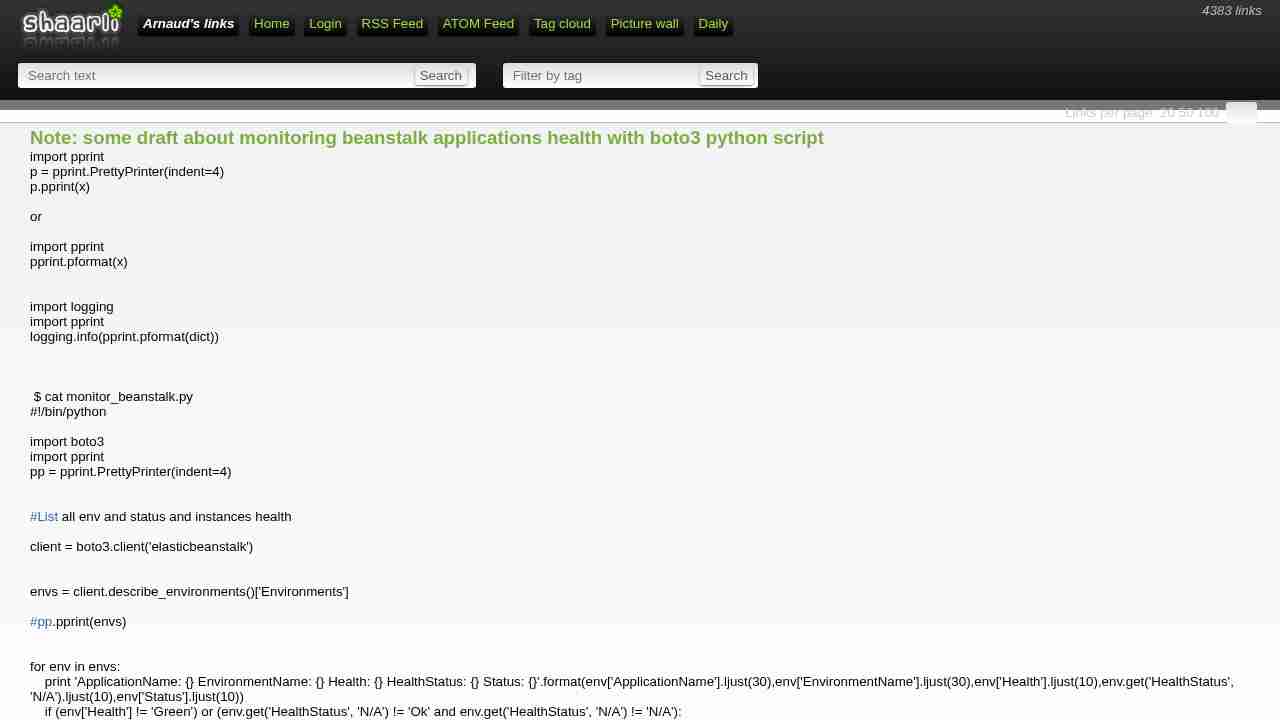
June 15, 2017 - permalink - https://links.infomee.fr/shaare/eFFzMgimport pprint
p = pprint.PrettyPrinter(indent=4)
p.pprint(x)or
import pprint
pprint.pformat(x)import logging
import pprint
logging.info(pprint.pformat(dict))$ cat monitor_beanstalk.py
!/bin/python
import boto3
import pprint
pp = pprint.PrettyPrinter(indent=4)List all env and status and instances health
client = boto3.client('elasticbeanstalk')
envs = client.describe_environments()['Environments']
pp.pprint(envs)
for env in envs:
print 'ApplicationName: {} EnvironmentName: {} Health: {} HealthStatus: {} Status: {}'.format(env['ApplicationName'].ljust(30),env['EnvironmentName'].ljust(30),env['Health'].ljust(10),env.get('HealthStatus', 'N/A').ljust(10),env['Status'].ljust(10))
if (env['Health'] != 'Green') or (env.get('HealthStatus', 'N/A') != 'Ok' and env.get('HealthStatus', 'N/A') != 'N/A'):
print '\nProblem'
details = client.describe_environment_health(EnvironmentName=env['EnvironmentName'],AttributeNames=['All'])
#pp.pprint(details)
print details['Causes']
print details['InstancesHealth']
print '\n'
-
Example 2: Bucket Owner Granting Cross-Account Bucket Permissions - Amazon Simple Storage Service
June 12, 2017 - permalink - http://docs.aws.amazon.com/AmazonS3/latest/dev/example-walkthroughs-managing-access-example2.htmlDonc pour autoriser un compte externe, on va créer une bucket policy sur notre bucket pour autoriser "arn:aws:iam::account_id:root" ou plus précis sur l'user arn:aws:iam::account_id:user/foobar ou le role
C'est le compte en face qui va décider qui a le droit de venir sur notre bucket avec des user policy standard (quand on est dans le contexte du compte en face, c'est comme si le bucket nous appartenait)
Exemple bucket policy à mettre sur le BUCKET de l'account A pour autoriser l'account xxx en RW
{
"Version": "2012-10-17",
"Statement": [{ "Sid": "Allow account_xx on aws account xxx RW", "Effect": "Allow", "Principal": { "AWS": "arn:aws:iam::OTHER_ACCOUNT_ID:root" }, "Action": ["s3:GetBucketLocation", "s3:ListBucket"], "Resource": "arn:aws:s3:::BUCKET" }, { "Sid": "Allow account_xx on aws account xxx RW", "Effect": "Allow", "Principal": { "AWS": "arn:aws:iam::OTHER_ACCOUNT_ID:root" }, "Action": [ "s3:*" ], "Resource": "arn:aws:s3:::BUCKET/*" } ]}
Pour Read only, remplacer action du deuxieme bloc par "Action": ["s3:Get","s3:List"],
-
Note: s3 policy one bucket
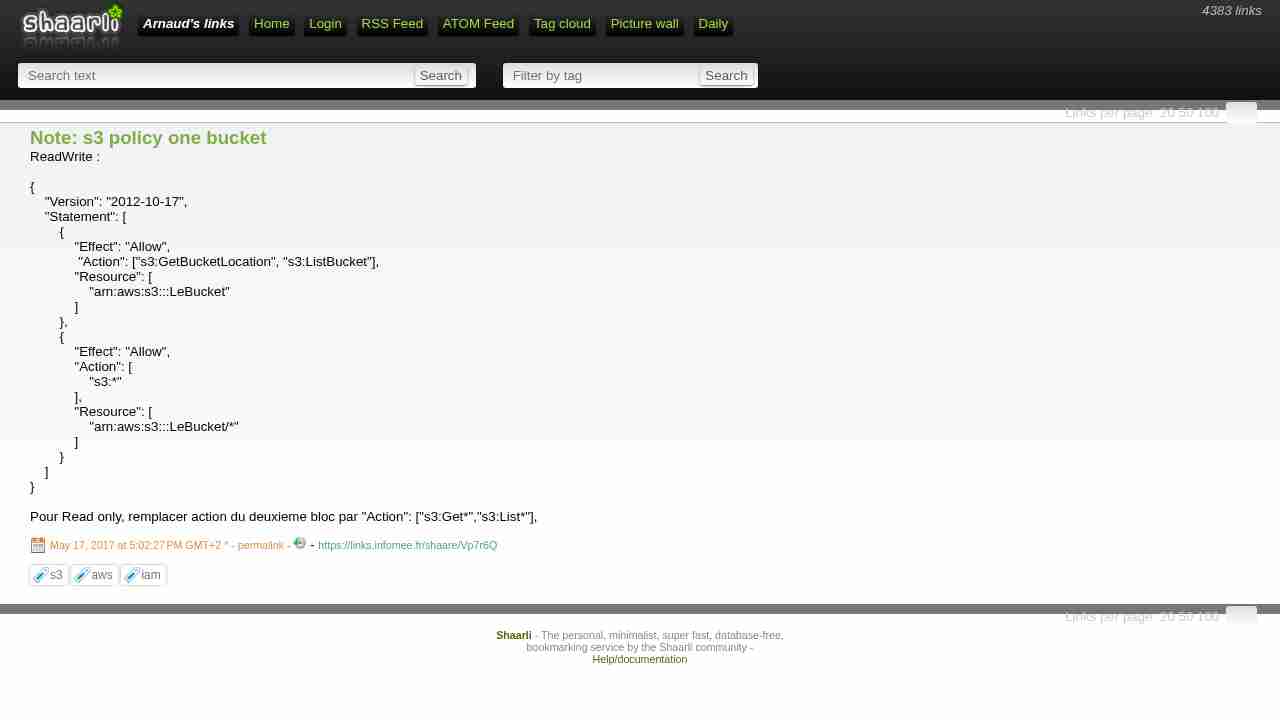
May 17, 2017 - permalink - https://links.infomee.fr/shaare/Vp7r6QReadWrite :
{
"Version": "2012-10-17",
"Statement": [
{
"Effect": "Allow",
"Action": ["s3:GetBucketLocation", "s3:ListBucket"],
"Resource": [
"arn:aws:s3:::LeBucket"
]
},
{
"Effect": "Allow",
"Action": [
"s3:"
],
"Resource": [
"arn:aws:s3:::LeBucket/"
]
}
]
}Pour Read only, remplacer action du deuxieme bloc par "Action": ["s3:Get","s3:List"],
-
Note: How to know which policy contains a specific action?
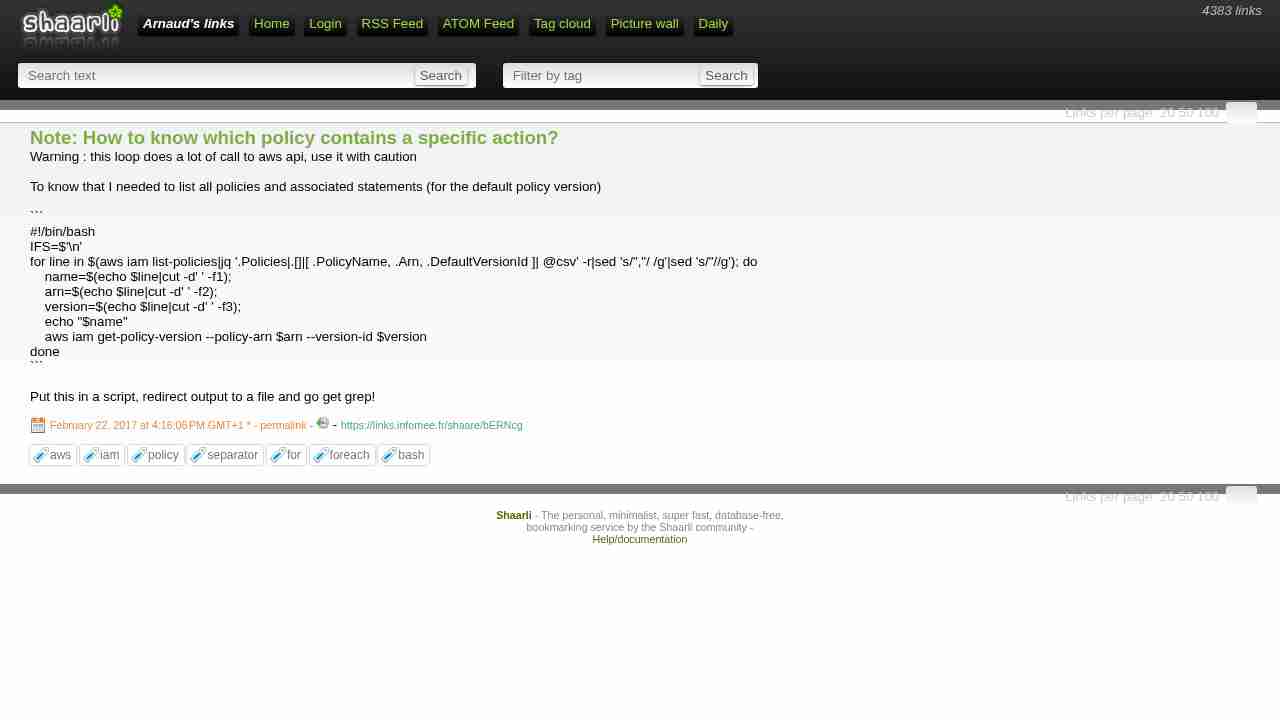
February 22, 2017 - permalink - https://links.infomee.fr/shaare/bERNcgWarning : this loop does a lot of call to aws api, use it with caution
To know that I needed to list all policies and associated statements (for the default policy version)
#!/bin/bash
IFS=$'\n'
for line in $(aws iam list-policies|jq '.Policies|.[]|[ .PolicyName, .Arn, .DefaultVersionId ]| @csv' -r|sed 's/","/ /g'|sed 's/"//g'); do
    name=$(echo $line|cut -d' ' -f1);
    arn=$(echo $line|cut -d' ' -f2);
    version=$(echo $line|cut -d' ' -f3);
    echo "$name"
    aws iam get-policy-version --policy-arn $arn --version-id $version
done
Put this in a script, redirect output to a file and go get grep!